はじめに
Qiita Engineer Festa 2024が始まっております。 19記事投稿することでグッズが貰えるみたいなのでやってみましょう!38記事投稿するとさらに何か貰えるみたいです。 そこで、記事投稿の予定をGoogleカレンダーに入れようと思ったのですが38日分登録するのがめんどくさいので、GASで自動化しましょう!(多分もっといい方法あるがロマンで..)
手法
イベント用のGoogleカレンダーを作成
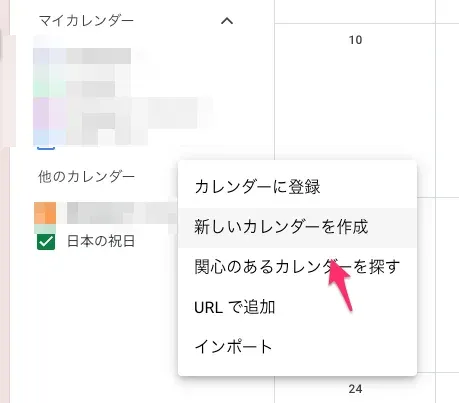 イベント用に新しいカレンダーを作成します。
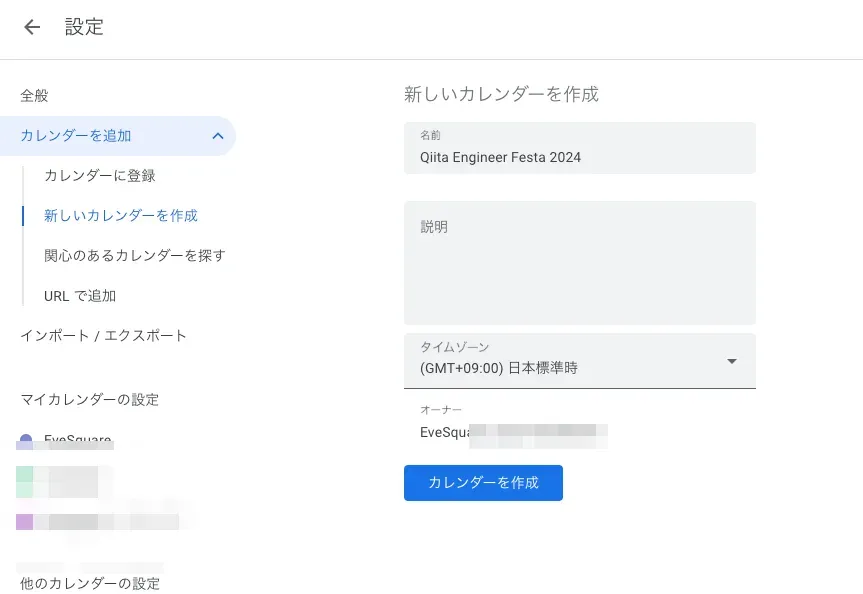 カレンダーを作成したら、カレンダー設定を開いてカレンダーIDを確認します。
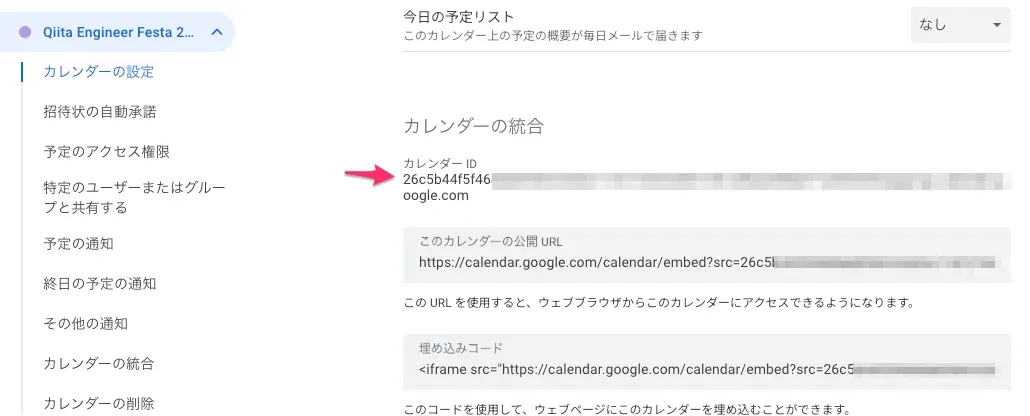 ここに出てくるカレンダーIDを控えておきます。
Apps Scriptを用意
Google SpredSheet新規作成 > 「拡張機能」ボタン > Apps ScriptをクリックしてGASを書く準備をします 詳細はこちらの記事の方がわかりやすいと思います💦 https://qiita.com/massa-potato/items/2db4cd27f8e8dc4c3f97
その後、こちらのコードを貼り付けます
const CALENDER_ID = 'xxxxxxxxxxxxxxxxxxx@group.calendar.google.com'; # <- 自身のカレンダーIDに置き換えます
const calendar = CalendarApp.getCalendarById(CALENDER_ID);

function myApp() {
  const recurrence = CalendarApp.newRecurrence().addDailyRule().times(38);

  const title = "Qiita記事投稿💪";
  const options = {};
  const startDate = new Date("2024/06/03");

  calendar.createAllDayEventSeries(title, startDate, recurrence, options);

  calendar.createAllDayEvent("記事投稿キャンペーン最終日🗓️", new Date("2024/07/25"));
}
実行!
Apps Script > myAppを選択して実行します。
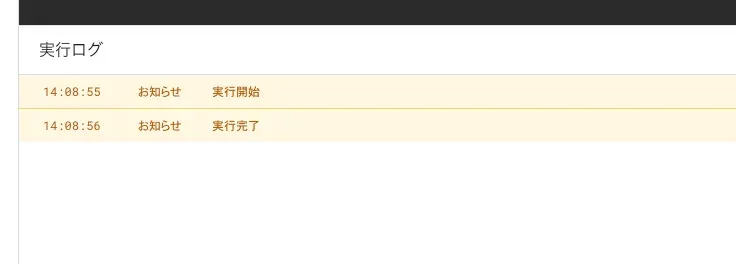
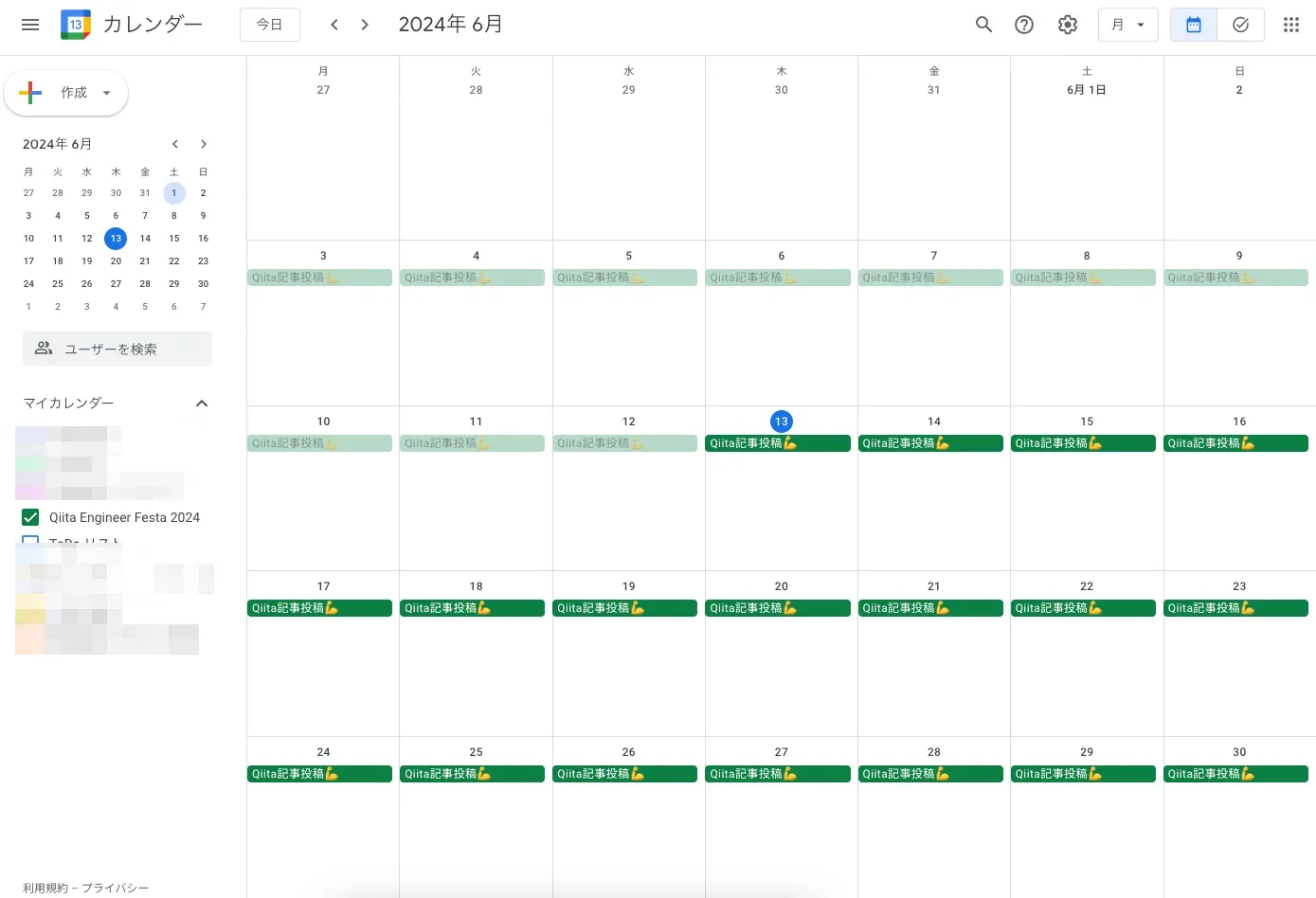
これで、38日分のイベントが登録されました!Done🎉
記事を書く!
記事を書くのはあなたです!
参考記事
https://qiita.com/yuma-o2525/items/e226e825847c907c5d3f https://qiita.com/massa-potato/items/2db4cd27f8e8dc4c3f97